
Nintendo Switch repair for the console and controls.
Docking, charging, display, fan, game card, and Joy-Con problems can come from different components. Choose the Switch model and explain whether the problem happens handheld, docked, or both.
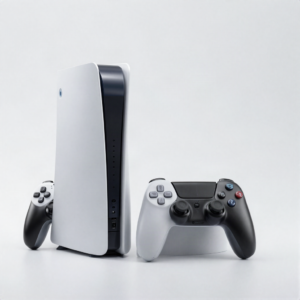 Photo: InclusiveGameLab, CC BY-SA 4.0
¿Qué está haciendo el equipo?
El daño visible es solo una pista. El modelo exacto y el comportamiento ayudan al equipo a distinguir una reparación directa de un problema de diagnóstico.
- No power or USB-C charging problem
- No image on the console or TV
- Broken screen, rail, stand, or game card reader
- Overheating or loud fan
- Joy-Con drift, buttons, charging, or connection trouble
Elige la falla que más se parezca.
Encuentra el modelo exacto.
Si no lo encuentras, mándanos el número de modelo para revisarlo a mano.
La aprobación queda en las manos correctas.
- 01Choose Switch, OLED, or Lite
- 02Tell us whether it fails handheld or docked
- 03Bring the dock or Joy-Con when relevant
- 04Review the quote before repair
Conoce el siguiente paso.
La disponibilidad, los tiempos y las opciones de reparación dependen del equipo, el daño y las refacciones que haya en ese momento.
See all FAQsDo you repair Joy-Con drift?
Joy-Con repair options depend on the controller condition and parts. Submit the exact symptom for review.
Should I bring the dock?
Bring it when TV output or dock charging is part of the problem. It can help isolate the fault.
Ready to tell us what happened?
Elige el equipo y la falla. iPhix confirma el alcance y la cotización actual antes de comenzar.
Agendar reparación