
Get the console back in the game.
No display, damaged HDMI port, overheating, power failure, storage errors, disc problems, and controller faults each need a different repair path. Choose the console family and describe exactly what happens when you power it on.
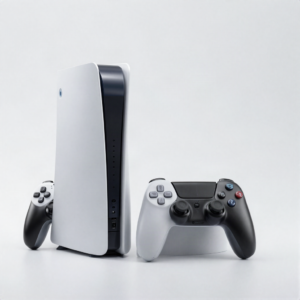 Photo: InclusiveGameLab, CC BY-SA 4.0
¿Qué está haciendo el equipo?
El daño visible es solo una pista. El modelo exacto y el comportamiento ayudan al equipo a distinguir una reparación directa de un problema de diagnóstico.
- No image, flicker, or damaged HDMI port
- No power or unexpected shutdown
- Overheating, loud fan, or thermal warning
- Disc drive, storage, or system error
- Controller, Joy-Con, charging, or connection trouble
Elige la falla que más se parezca.
Encuentra el modelo exacto.
Si no lo encuentras, mándanos el número de modelo para revisarlo a mano.
La aprobación queda en las manos correctas.
- 01Choose PlayStation, Xbox, or Nintendo
- 02Share the model and exact symptom
- 03Bring the power supply or controller when relevant
- 04Approve the diagnostic and repair scope before work
Conoce el siguiente paso.
La disponibilidad, los tiempos y las opciones de reparación dependen del equipo, el daño y las refacciones que haya en ese momento.
See all FAQsDo you repair PlayStation, Xbox, and Nintendo?
Yes, modelos compatibles are listed by console family. Use the manual request if a model is not yet in the catalog.
Should I bring cables and controllers?
Bring the power supply, display cable, dock, or controller when it is directly related to the problem.
Can an HDMI problem be a settings issue?
Yes. Cable, display, software, port, and board faults can cause similar symptoms. The diagnostic separates them.
Ready to tell us what happened?
Elige el equipo y la falla. iPhix confirma el alcance y la cotización actual antes de comenzar.
Agendar reparación