
A clear path for Xbox hardware problems.
Xbox Series X, Series S, and Xbox One faults can involve power, display, heat, storage, disc hardware, or controllers. Describe the startup behavior and any error shown before the problem began.
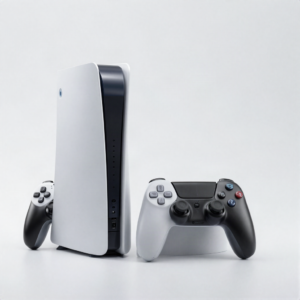 Photo: InclusiveGameLab, CC BY-SA 4.0
¿Qué está haciendo el equipo?
El daño visible es solo una pista. El modelo exacto y el comportamiento ayudan al equipo a distinguir una reparación directa de un problema de diagnóstico.
- No image or damaged HDMI connection
- No power or repeated shutdown
- Overheating, fan noise, or warning
- Storage, update, or startup error
- Disc drive or controller problem
Elige la falla que más se parezca.
Encuentra el modelo exacto.
Si no lo encuentras, mándanos el número de modelo para revisarlo a mano.
La aprobación queda en las manos correctas.
- 01Choose the Xbox model
- 02Share the startup and screen behavior
- 03Bring the power cable or controller when relevant
- 04Approve the confirmed repair scope
Conoce el siguiente paso.
La disponibilidad, los tiempos y las opciones de reparación dependen del equipo, el daño y las refacciones que haya en ese momento.
See all FAQsCan you repair an Xbox with no video?
Yes, but the cause may be the cable, display settings, HDMI port, or internal board. Testing identifies the next step.
Can storage errors be repaired?
Some storage problems are serviceable. The model, error, and drive condition determine the available options.
Ready to tell us what happened?
Elige el equipo y la falla. iPhix confirma el alcance y la cotización actual antes de comenzar.
Agendar reparación