
PlayStation trouble, diagnosed clearly.
PS5 and PS4 display, power, heat, storage, disc, and controller problems can share symptoms. Tell us what appears on screen, what lights or sounds you notice, and what happened before the failure.
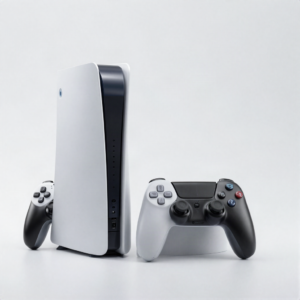 Photo: InclusiveGameLab, CC BY-SA 4.0
What is the device doing?
The visible damage is one clue. The exact model and behavior help the team separate a direct repair from a diagnostic problem.
- No signal or damaged HDMI port
- Blue or white light startup problem
- Overheating, loud fan, or shutdown
- Disc drive or storage error
- DualSense charging, drift, or connection issue
Choose the issue that looks closest.
Find the exact model.
If it is missing, send the model number for a manual check.
Approval stays in the right place.
- 01Choose the PS5 or PS4 model
- 02Describe lights, sounds, and screen behavior
- 03Bring related cables or controller if useful
- 04Review and approve the repair quote
Know the next step.
Availability, timing, and repair options depend on the device, damage, and current parts supply.
See all FAQsCan a PS5 HDMI port be replaced?
A physically damaged port may be repairable. The console is inspected for port and board damage before the quote is confirmed.
Do you repair DualSense controllers?
Controller services can include charging, connection, button, and stick problems depending on parts and condition.
Ready to tell us what happened?
Choose the device and issue. iPhix confirms the scope and current quote before work begins.
Book a Repair